

What is Parallax?
A Mac app, with a small daemon underneath it, that runs your coding agents side by side: Claude Code, Codex, pi, Capy and others. You watch every session live, steer any of them, and keep a record of what each one did.
Run Claude Code, Codex and the rest from one window on your Mac. When an agent needs a decision, answer it from your phone.
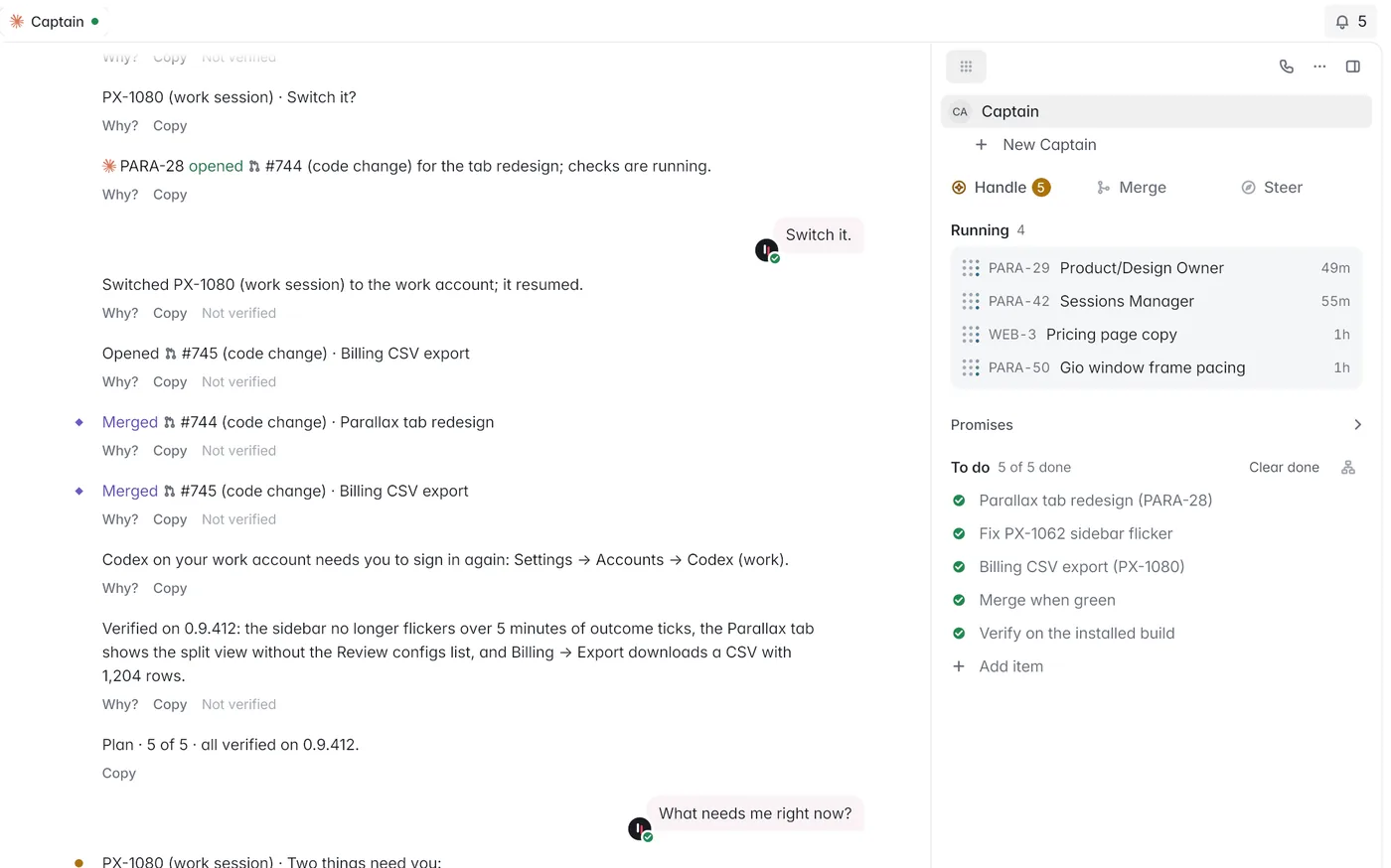
Say the outcome you want. Captain splits it into tasks, hands each one to an agent, and keeps the plan and every agent’s status beside the conversation.


On your Mac
The plan, the running sessions and the to-do list stay open next to the chat.
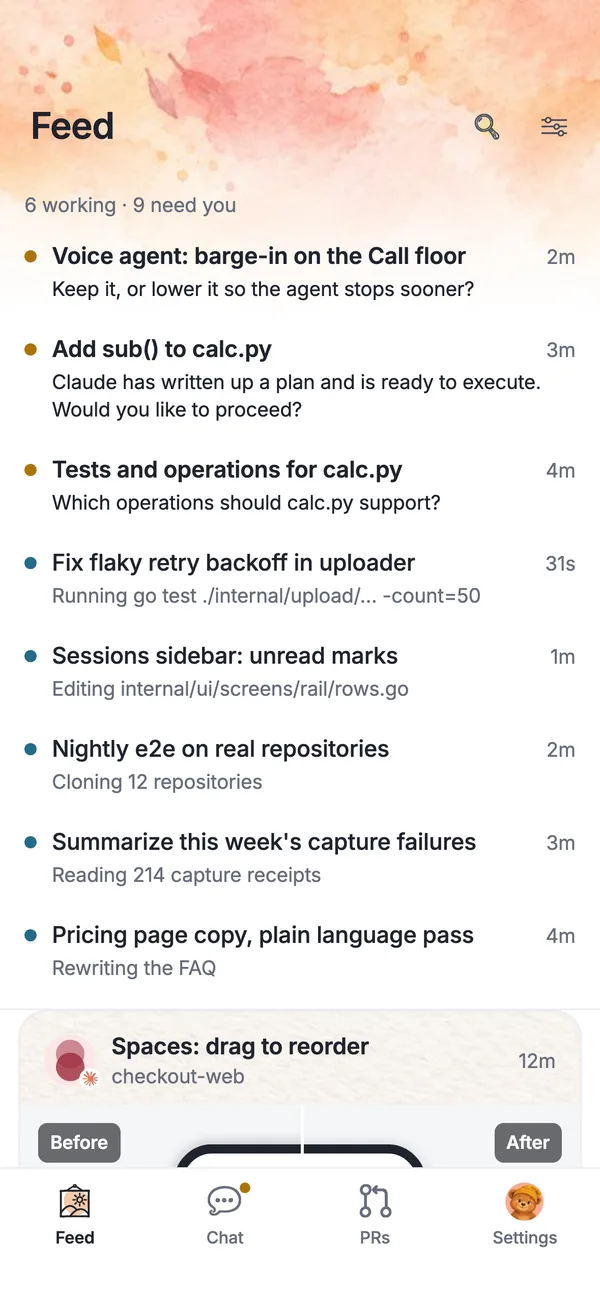
On your phone
Captain and every crew room in one list, marked when one needs you.
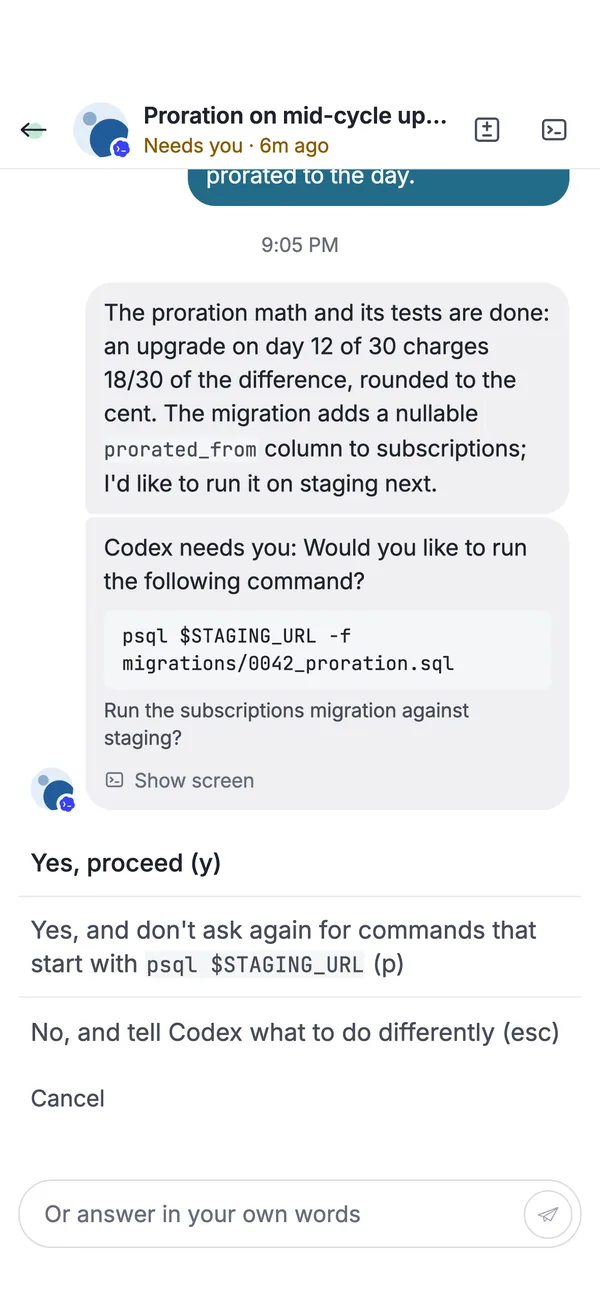
Agents keep working without stopping for every step. When a call is really yours, it reaches you as one question with the answers already written out.
On your phone
Answer with one tap, or in your own words.
On your Mac
Ask what needs you, and Captain answers with the short list.
Every finished session comes back with what changed, what ran and what passed, so you judge the result instead of reading the transcript.

On your Mac
Each pull request shows its checks and open review threads; one click sends the threads back to the agent.
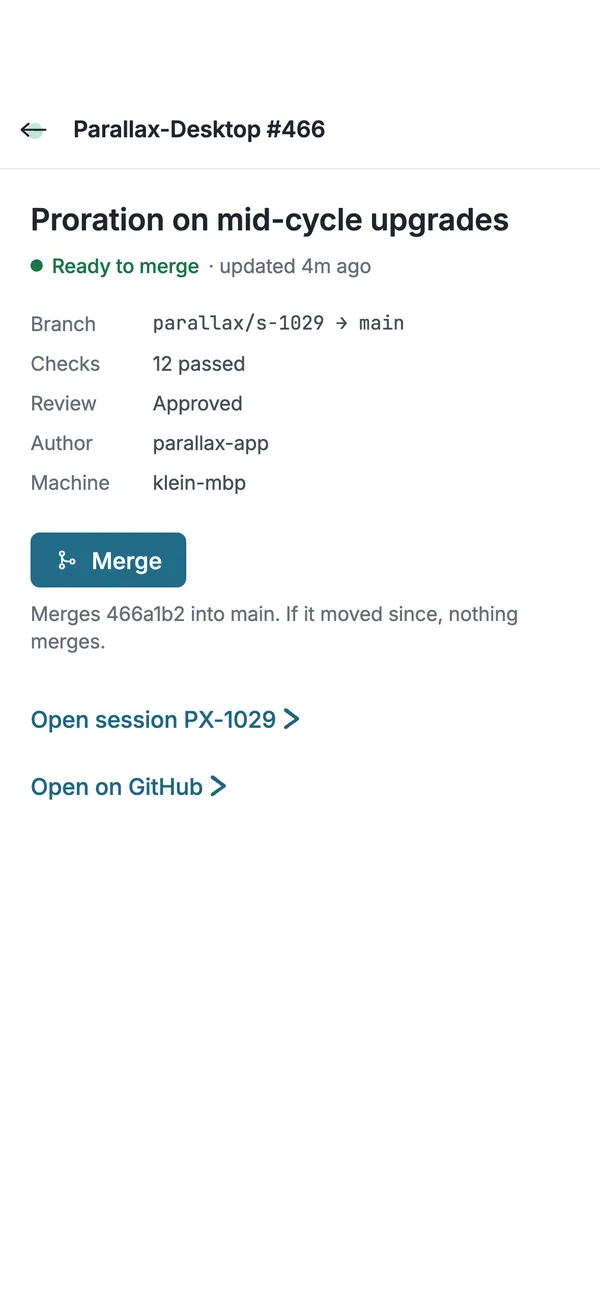
On your phone
Checks passed, review approved, Merge. The whole decision fits on a phone.
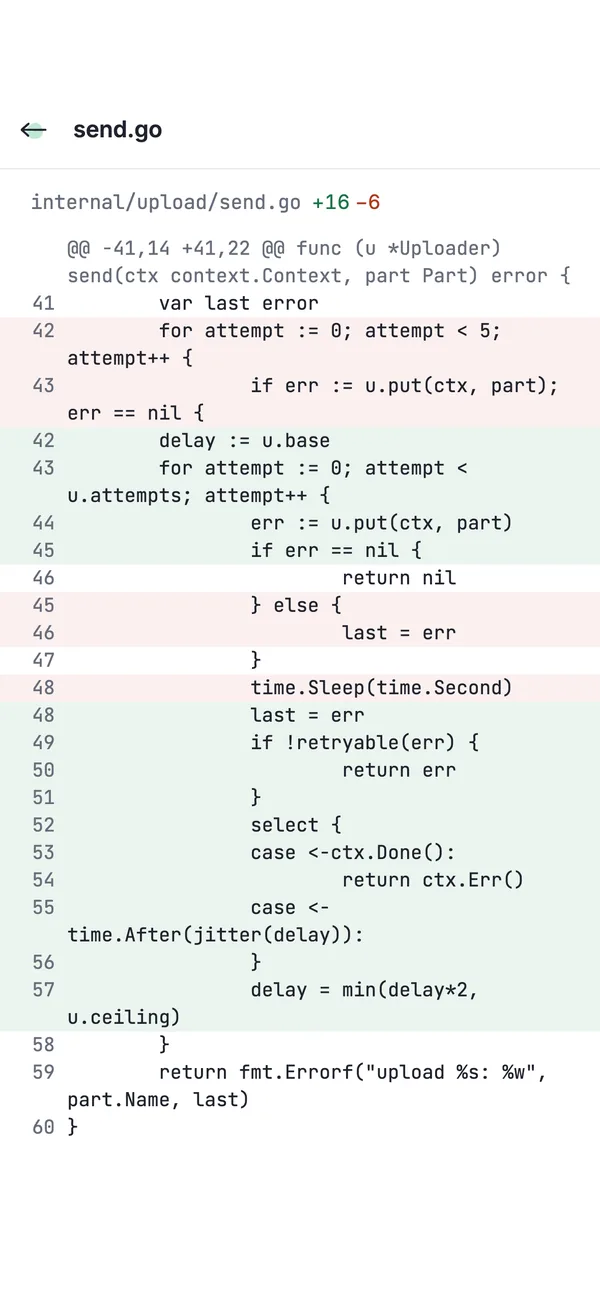
Diffs are first-class on both screens. Leave a note on a line and it goes back to the agent that wrote it.

On your phone
A full diff that stays readable on a phone.
On your Mac
Line notes beside the diff, sent to the agent in one click.
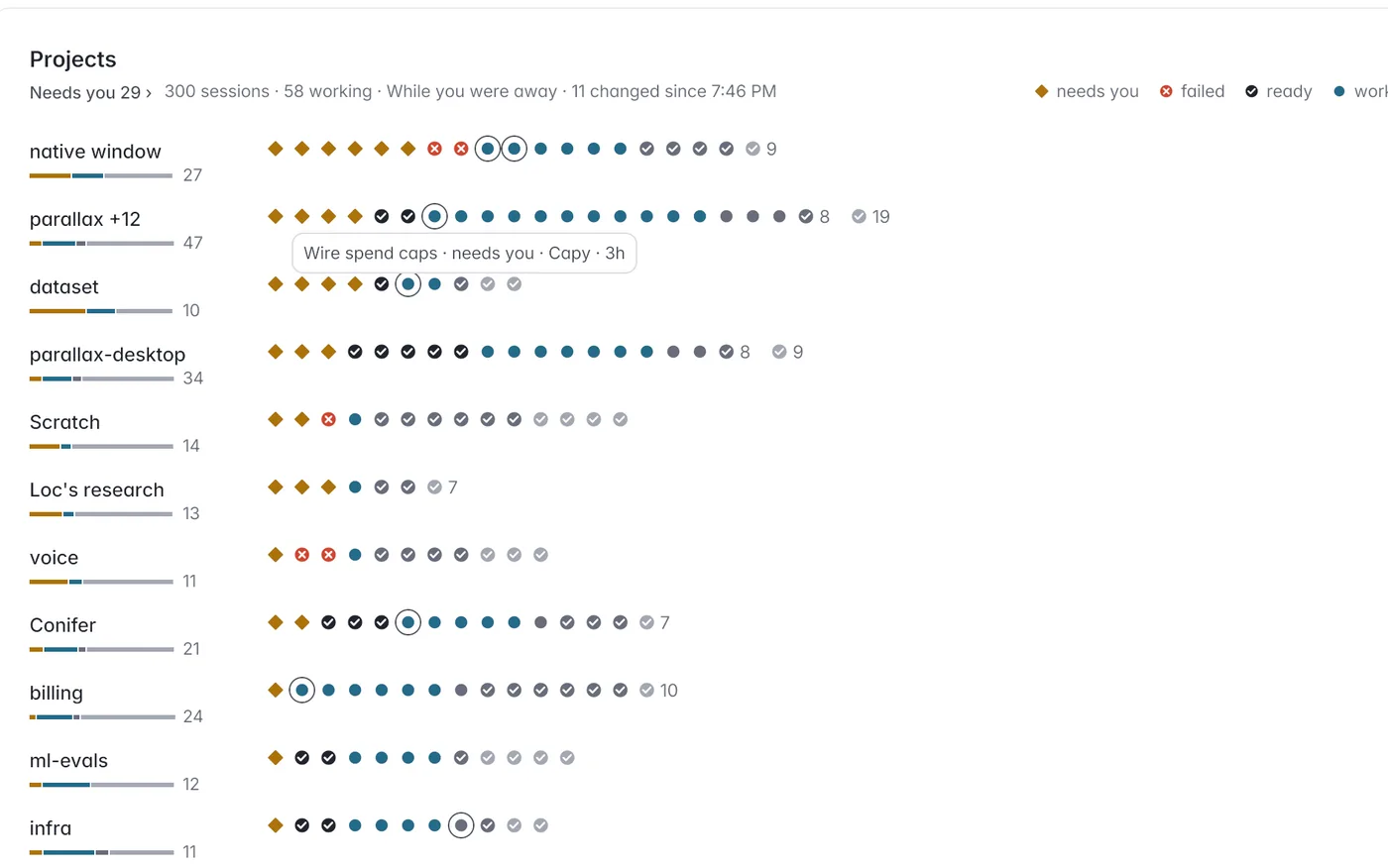
Each project is a row and each session a dot, coloured by what it needs from you: ready, working, waiting or stuck.

On your Mac
Hundreds of sessions across every project on one screen.
On your phone
The same map in your pocket, with what changed while you were away.
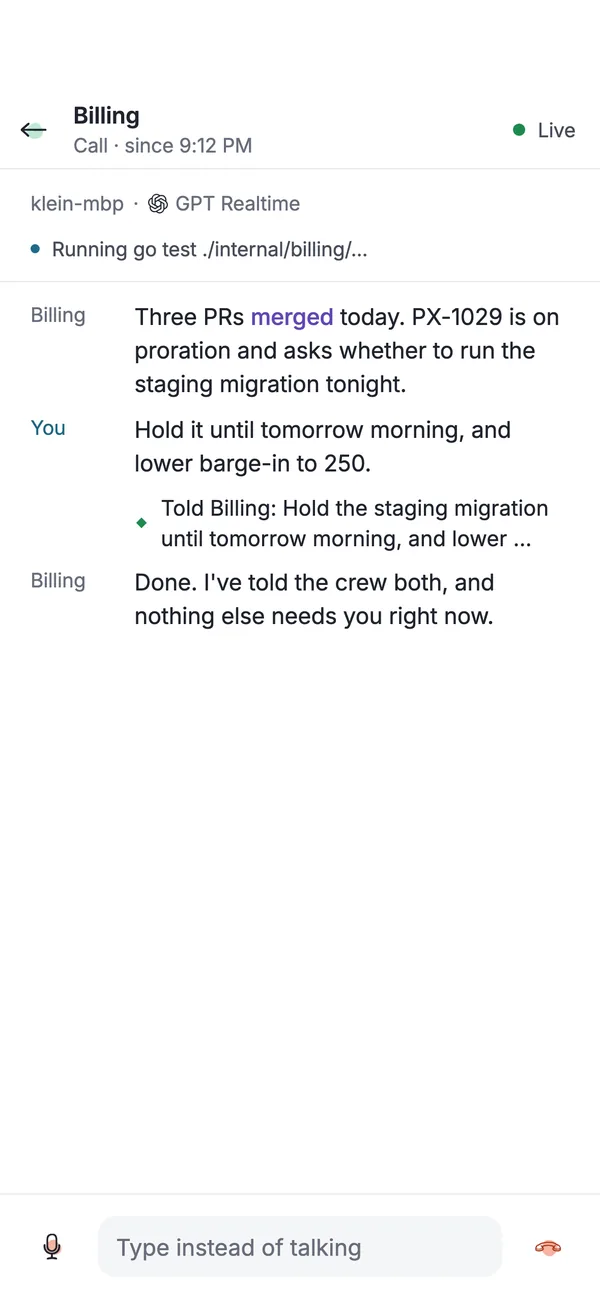
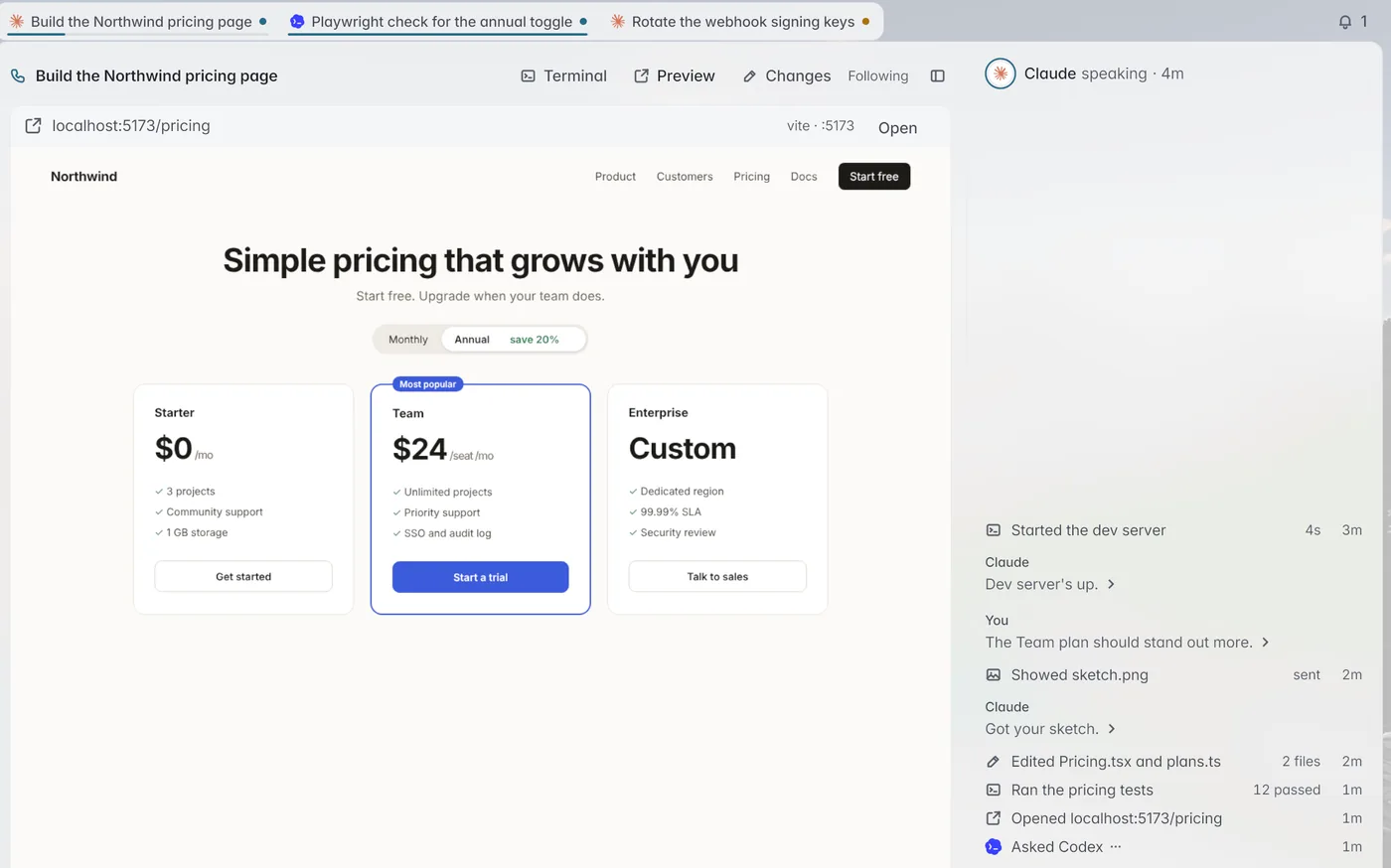
Call your crew. Parallax listens, answers out loud, and passes what you say to the agent that needs it.
On your phone
A live call with a crew that passes your answers to the agents waiting on you.
On your Mac
Talk to an agent while it shows you the page it is building.
Sessions run on your Mac, a Linux box on your tailnet or a cloud machine. Pair your phone once by scanning a code.


On your Mac
Add cloud machines with a spending cap you set.
On your phone
Start a session on any paired machine, with the agent and model you pick.
Each agent runs in its own harness with your own subscription. Parallax adds the window around them: one place to start them, watch them, answer them and keep their receipts.
Download the app and drag it to Applications. Apple silicon and Intel, signed and notarized, and it updates itself.
Download for Mac
Open phone.parallaxagents.dev in Safari or Chrome, then scan the pairing code from Parallax on your computer. Nothing to install.
Open on your phone
Paste this into a terminal on x86-64 or arm64. It installs the parallax command and starts its daemon. On Windows, run it inside WSL2.
A Mac app, with a small daemon underneath it, that runs your coding agents side by side: Claude Code, Codex, pi, Capy and others. You watch every session live, steer any of them, and keep a record of what each one did.
No. Parallax runs each agent in the harness you choose, with the subscriptions and API keys you already have. Its router can also pick a model for you; Models lists those prices.
On the machine running the Parallax daemon: your Mac, a Linux box on your tailnet, or a cloud machine. The Mac app and the phone are both windows onto that daemon.
Yes. Open phone.parallaxagents.dev in your phone’s browser, scan the pairing code your Mac shows, and it reaches your machines through an encrypted relay.
macOS on Apple silicon and Intel, as a signed and notarized app that updates itself. Linux on x86-64 and arm64 with one install line. On Windows, run the Linux install inside WSL2.
You decide. Settings set how much agents do on their own, from asking before each step to merging a pull request once its checks pass.

Start one agent or thirty. Parallax keeps them in one window on your Mac and one screen in your pocket.